TL;DR
Every virtual classroom software comparison reads roughly the same: video conferencing, screen sharing, chat, breakout rooms, recording. If you've read three of these lists, you've read all of them, and none of it tells you which platform is actually right for teaching.
US organizations spent $102.8 billion on training in 2025, up from $98 billion the year before. Separately, ATD Research has found that virtual instructor-led classrooms are increasingly used specifically because they reduce instructor travel costs.
That's real money riding on picking the right platform, and this guide breaks down what to actually evaluate, feature by feature.
Nearly every virtual classroom platform on the market has breakout rooms, polls, and a whiteboard. Listing those features tells you almost nothing, since the box gets checked either way. What actually matters is implementation.
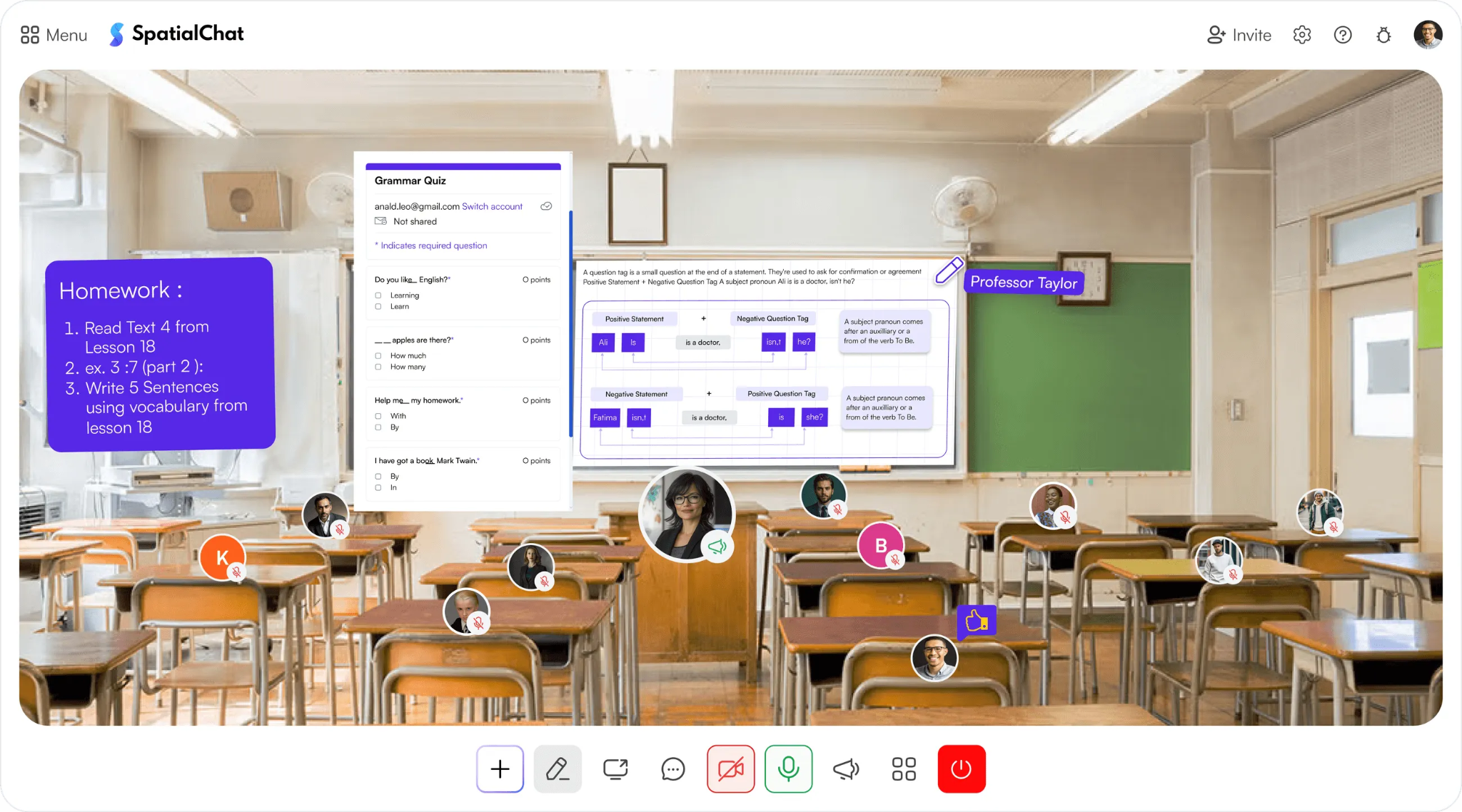
Breakout rooms are the clearest example: on many platforms, they're temporary, a facilitator manually assigns groups, rebuilds them for the next activity, and repeats that setup every single session. On others, groups persist across sessions with no manual rebuilding required. Evaluate every feature on this list the same way, not "does it exist," but "how does it actually work when you use it."
Video and audio are the baseline, but quality and format vary more than most buyers expect:
Static video-grid platforms handle basic video and audio fine. Spatial audio is where the differentiation actually shows up, and it's worth testing directly rather than taking a feature list's word for it.
This is the single feature most worth scrutinizing closely, since the gap between platforms is largest here:
Ad-hoc, manually-assigned breakout rooms eat real class time. Across a semester, minutes spent rebuilding groups every session compound into hours that could've gone to actual teaching.
Beyond breakout rooms, a handful of engagement features consistently matter:
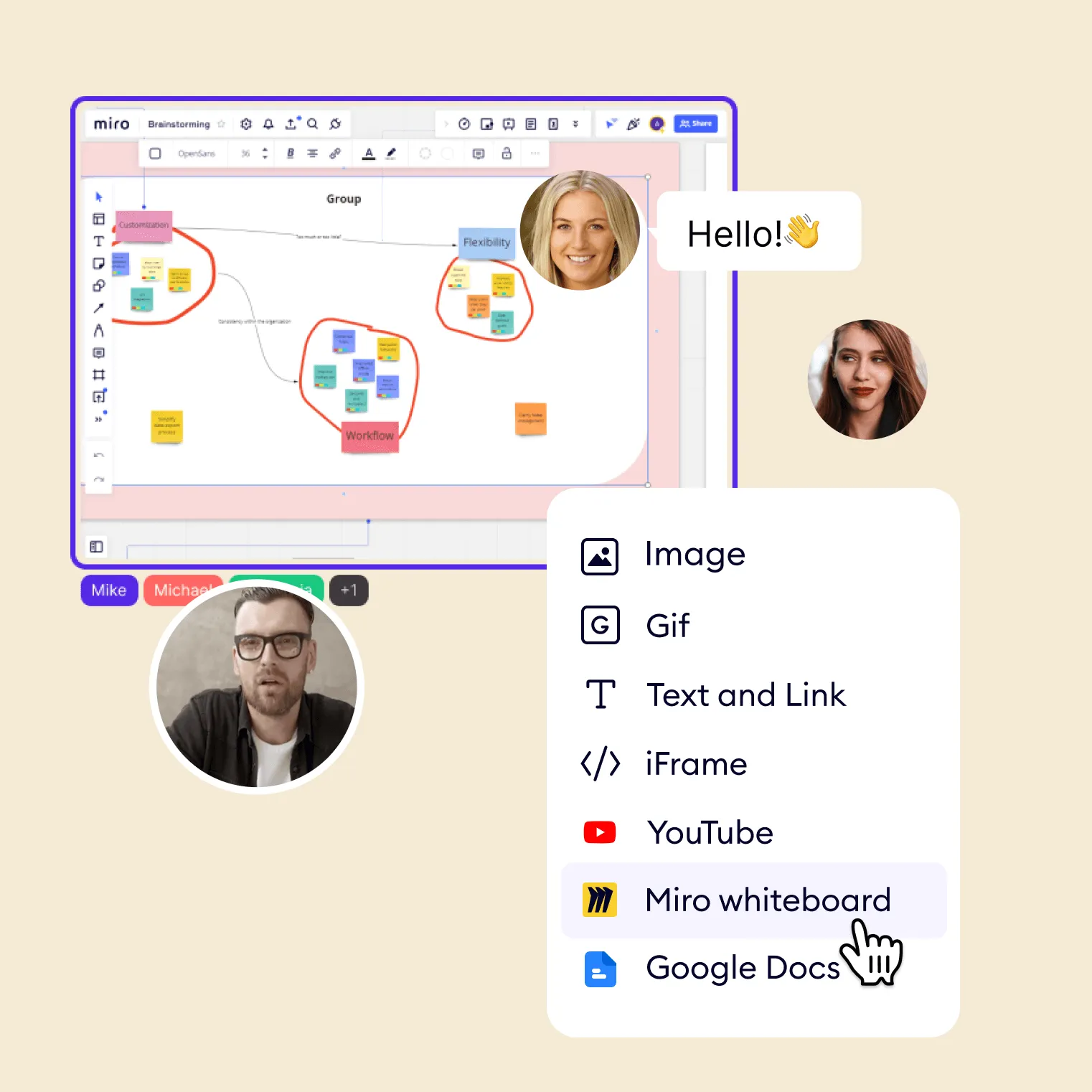
None of these individually make or break a platform, but together they determine whether a class feels interactive or just supervised.
For any classroom beyond a single teacher's single class, integrations and data matter:
The virtual advantage of a connected learning ecosystem comes specifically from these integrations working together, not from any single one in isolation.
Security requirements scale with institution size and student age, but a few basics apply everywhere:
Don't assume a platform meets your requirements just because it's popular. Confirm the specific certifications and controls you need are actually in place.
The best feature set means nothing if people don't actually use it or the pricing is not suitable:
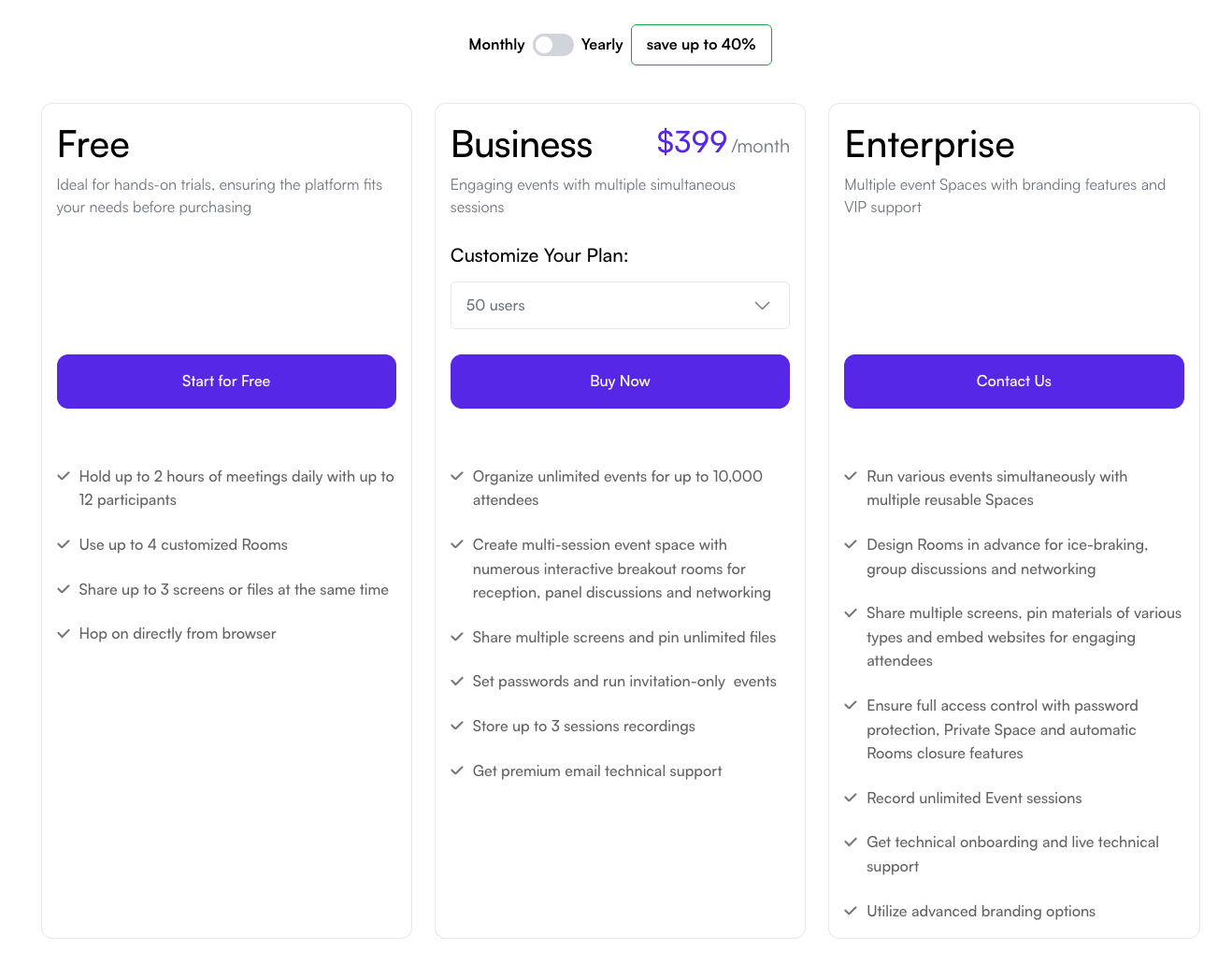
A platform your team actually opens every day beats one with more features that stays unused after week two.
Move past the feature list and test directly:
Setting up your first virtual classroom walks through this evaluation process in more practical detail once you've narrowed your options.
SpatialChat was built around the features that separate a real learning environment from a meeting tool with a different label. Spatial audio recreates real-room conversation instead of a static grid, and breakout groups can persist across sessions rather than resetting every class.
On integrations and data, SpatialChat connects to Canvas LMS, embeds tools like Miro and Google Slides, and includes SAML SSO with a built-in analytics dashboard.
Scaling corporate training with virtual events shows how these same features extend to organization-wide training.
See our complete guide to virtual classroom best practices for the fuller picture, or try SpatialChat's virtual education platform free to test these features against your own class.
A feature checklist is a starting point, not a decision. Every platform on the market can claim breakout rooms, polls, and integrations; what actually matters is whether those features hold up under your specific class size, subject, and teaching style.
Test the features that matter most to you directly, especially breakout room setup time and analytics, before committing budget or migrating a full course.
The right software should reduce the manual work of teaching, not just add another feature to the list.
There's no single answer, but breakout room implementation is where platforms differ most. Persistent, low-friction groups save real class time compared to platforms requiring manual reassignment every session.
Probably not urgently. LMS integration matters most once you're managing rosters, grades, or multiple sections, where manual syncing between systems becomes genuinely time-consuming rather than a minor inconvenience.
A regular grid works fine for lecture-style delivery, where one person mostly talks. Spatial audio matters more for discussion-heavy or small-group formats, where natural, overlapping conversation is actually the point of the session.
For a single teacher, basic attendance data is usually enough. Institutions managing many sections benefit far more from detailed analytics, since they need to compare engagement and outcomes across classes.
Neither in isolation. Match the feature set to what you'll actually use regularly, then compare pricing across platforms that already meet those specific needs, rather than starting with price alone.
FERPA compliance matters for US education specifically, alongside standard encryption and access controls. Ask directly whether a platform holds the certifications relevant to your institution rather than assuming based on popularity.
Most platforms, including SpatialChat, offer a free tier or trial specifically for this. Use it to test breakout rooms, integrations, and analytics with real class conditions, not just a quick tour.
Somewhat. K-12 tends to prioritize security, access control, and ease of use for younger students, while higher education often weighs LMS integration and analytics more heavily across larger course loads.
Test it directly rather than reading a feature description. A feature that takes five extra clicks to use every session will quietly go unused, regardless of how it's marketed.
A checklist confirms a feature exists. A real evaluation tests how it performs at your actual class size and times the setup. It also confirms integrations are live rather than planned, which is what predicts whether a platform actually gets used.